BEGINNER COURSE

Plan, Design + Code
Your First Website

Gain a whole range of new creative and digital skills so
that you can design and build your first website from start
to finish – all for free!

This free course is go-at-your-own pace and has 4+ hours of video lessons that will teach you, from start to finish, how to get your very first website online. It’s an introductory, crash course to learn a range of new creative, digital skills so that you can start making things online for fun or take your career to the next level.

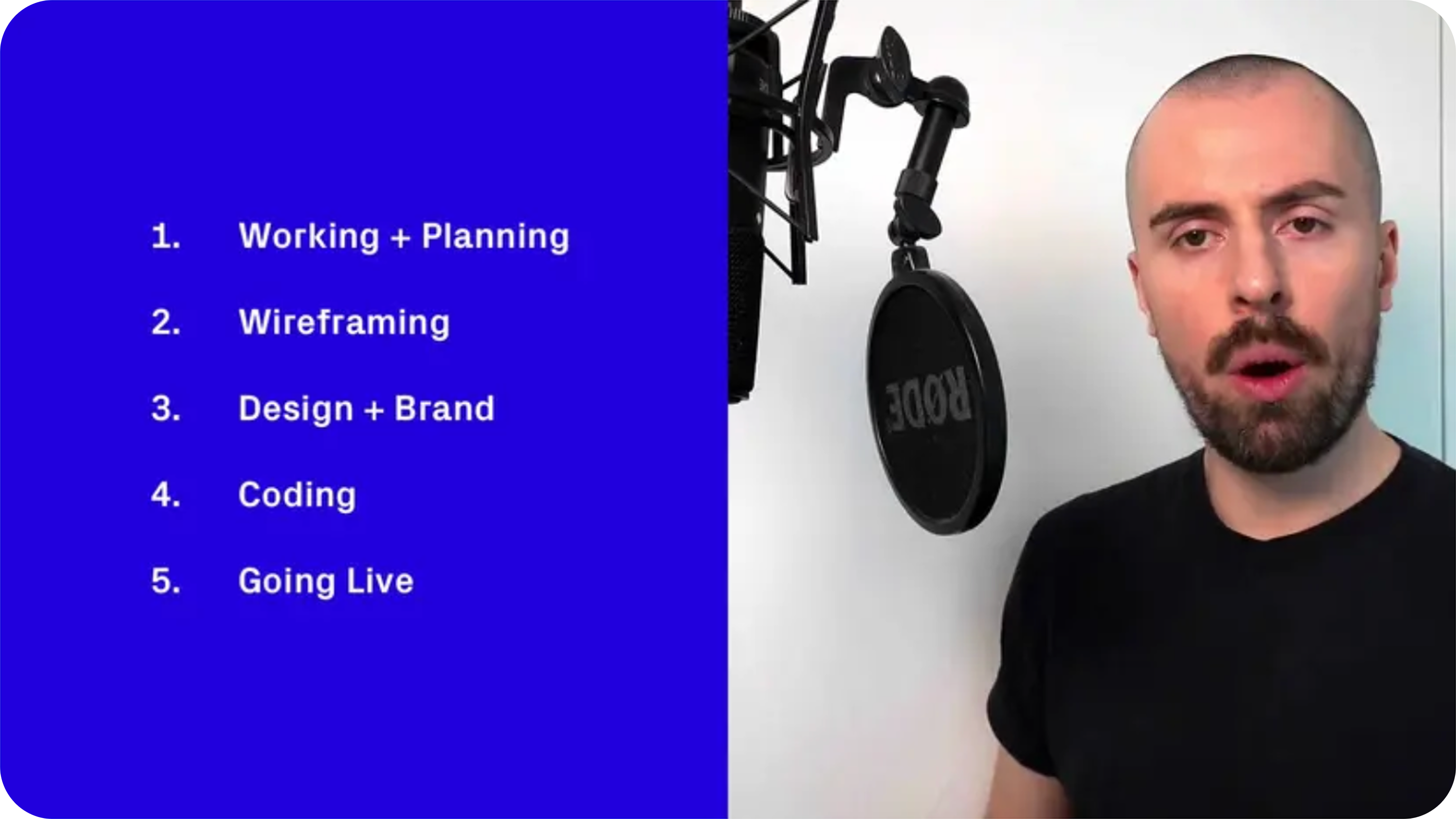
We’ll cover project management essentials and how to work with clients, how to wireframe and then design a visual brand and website using Figma, and finally, how to code your design from scratch using HTML, CSS and the SuperHi Editor (free access included).

The course project will be a client looking to get their portfolio online. You can also remix this course to get your own website (or a friend’s) online too!

What you'll learn

  • What a shader is exactly and how to write GLSL code
  • What uniforms, vertex and fragment shaders are
  • How to apply GLSL code to the web using GlslCanvas and Three.js
  • How to connect web events like mouse movement and scroll to our shader code using Javascript
  • Quick mathematical techniques for producing stunning graphics
  • How to use procedural noise and randomness to create changeable graphics

Requirements

A computer (Windows, Mac or Linux) with the latest version of Chrome installed and a broadband internet connection. Just that!

Target Audience

This course is made for anyone who’s curious about the world of technology, design and code and is interested in making things on the internet. No previous experience necessary!

You could be interested in taking the first steps to a digital freelance career, or looking to get creative and build your own website from scratch. From designers looking to dip their toes into code, to aspiring project managers wanting to work in creative fields – if you’ve been interested in making a career change and aren’t sure which direction you want to take, we’re here for you. Creativity and curiosity – that’s all we ask of you!

This is an introductory course and you don’t need any prior knowledge – just the desire to make something and learn new skills.

Chapter Plan banner
CHAPTER 01

Plan

Welcome to the course! In the first lesson, get a mysterious email from our future client. We work out what she needs and make a plan of action for the project.
Chapter Plan banner
CHAPTER 01

Plan

Welcome to the course! In the first lesson, get a mysterious email from our future client. We work out what she needs and make a plan of action for the project.

Chapter Plan banner
CHAPTER 01

Plan

Welcome to the course! In the first lesson, get a mysterious email from our future client. We work out what she needs and make a plan of action for the project.

Chapter Plan banner
CHAPTER 01

Plan

Welcome to the course! In the first lesson, get a mysterious email from our future client. We work out what she needs and make a plan of action for the project.

Plan, Design + Code Your First Website

  • Practical, go-at-your-own pace learning, with help from our industry experts and experienced teachers
  • Projects and code that you can alter and include in your own sites and portfolio
  • Resources to get you started and going post-course
Add to cart for $149

Your instructor

Sunyul Hossen
Sunyul Hossen
Founder + CEO

Sunyul Hossen went from a NEET aspirant to a tech inspiration. In a tier-3 college, he upskilled early, landing roles at Discord, Cognizant & Jio. He cracked top internships, and secured offers from Goldman Sachs, D.E. Shaw & Uber. Through CS FOR ALL, he’s helped 826+ students land jobs at Google, Microsoft & more, redefining tech mentorship.


With support from…
Raghav Aggarwal
Raghav Aggarwal
DSA, SDE 2 @Google
Swagato Mondal
Swagato Mondal
System Design, Senior SWE @Uber

Course structure

Chapter 01 thumbnail
CHAPTER 01
Plan
Lesson 01 thumbnail
LESSON 01
Welcome to the Plan, Design + Code Your First Website course
Lesson 02 thumbnail
LESSON 02
Our client appears!
Lesson 03 thumbnail
LESSON 03
Verifying the projects needs
Lesson 04 thumbnail
LESSON 04
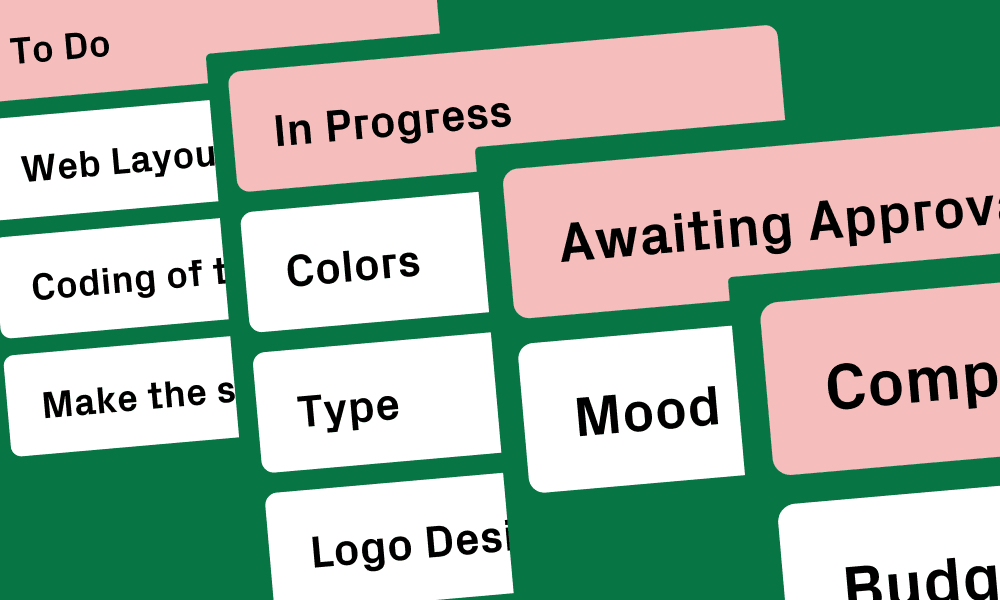
Setting up a kanban board on Notion
Lesson 05 thumbnail
LESSON 05
Making wireframes
Lesson 06 thumbnail
LESSON 06
Getting a budget approved
Lesson 07 thumbnail
LESSON 07
Client sign off on project
Chapter 02 thumbnail
CHAPTER 02
Design
Chapter 02 Lesson 01
LESSON 01
Intro to visual design & moodboards
Chapter 03 thumbnail
CHAPTER 03
Code
Chapter 03 Lesson 01
LESSON 01
Building the layout with HTML & CSS
Chapter 04 thumbnail
CHAPTER 04
Mobile + Variation
Chapter 04 Lesson 01
LESSON 01
Designing responsive & alternate layouts
Microsoft
Google
Tesla
Zomato
Amazon
Atlassian
Microsoft
Google
Tesla
Zomato
Amazon
Atlassian
Walmart
Salesforce
Google
Amazon
Microsoft
Tesla
Walmart
Salesforce
Google
Amazon
Microsoft
Tesla
Zomato
Atlassian
Salesforce
Walmart
Microsoft
Google
Zomato
Atlassian
Salesforce
Walmart
Microsoft
Google

SuperHi students work at the best

Our students are based all over the world and work at creative companies large and small. Why not check out some of their work?

View student work →
😅

Feeling stuck?

Don’t worry, we are here to help you with:

  • Speedy help from one of our team members
  • Detailed, relevant solutions
  • Direct access to peer support through Discord!

Remember, there’s no such thing as a silly question, so don’t hesitate to reach out, we love hearing from you!

BEGINNER COURSE

Plan, Design + Code
Your First Website

Gain a whole range of new creative and digital skills so that you can design and build your first website from start to finish – all for free!

This free course is go-at-your-own pace and has 4+ hours of video lessons that will teach you, from start to finish, how to get your very first website online. It’s an introductory, crash course to learn a range of new creative, digital skills so that you can start making things online for fun or take your career to the next level.

We’ll cover project management essentials and how to work with clients, how to wireframe and then design a visual brand and website using Figma, and finally, how to code your design from scratch using HTML, CSS and the SuperHi Editor (free access included).

The course project will be a client looking to get their portfolio online. You can also remix this course to get your own website (or a friend’s) online too!

What you'll learn

  • What a shader is exactly and how to write GLSL code
  • What uniforms, vertex and fragment shaders are
  • How to apply GLSL code to the web using GlslCanvas and Three.js
  • How to connect web events like mouse movement and scroll to our shader code using Javascript
  • Quick mathematical techniques for producing stunning graphics
  • How to use procedural noise and randomness to create changeable graphics

Requirements

A computer (Windows, Mac or Linux) with the latest version of Chrome installed and a broadband internet connection. Just that!

Target Audience

This course is made for anyone who’s curious about the world of technology, design and code and is interested in making things on the internet. No previous experience necessary!

You could be interested in taking the first steps to a digital freelance career, or looking to get creative and build your own website from scratch. From designers looking to dip their toes into code, to aspiring project managers wanting to work in creative fields – if you’ve been interested in making a career change and aren’t sure which direction you want to take, we’re here for you. Creativity and curiosity – that’s all we ask of you!

This is an introductory course and you don’t need any prior knowledge – just the desire to make something and learn new skills.

Chapter Plan banner
CHAPTER 01

Plan

Welcome to the course! In the first lesson, get a mysterious email from our future client. We work out what she needs and make a plan of action for the project.

Chapter Plan banner
CHAPTER 01

Plan

Welcome to the course! In the first lesson, get a mysterious email from our future client. We work out what she needs and make a plan of action for the project.

Chapter Plan banner
CHAPTER 01

Plan

Welcome to the course! In the first lesson, get a mysterious email from our future client. We work out what she needs and make a plan of action for the project.

Chapter Plan banner
CHAPTER 01

Plan

Welcome to the course! In the first lesson, get a mysterious email from our future client. We work out what she needs and make a plan of action for the project.

Plan, Design + Code Your First Website

  • Practical, go-at-your-own pace learning, with help from our industry experts and experienced teachers
  • Projects and code that you can alter and include in your own sites and portfolio
  • Resources to get you started and going post-course
Add to cart for $149

Your instructor

Sunyul Hossen
Sunyul Hossen
Founder + CEO

Sunyul Hossen went from a NEET aspirant to a tech inspiration. In a tier-3 college, he upskilled early, landing roles at Discord, Cognizant & Jio. He cracked top internships, and secured offers from Goldman Sachs, D.E. Shaw & Uber. Through CS FOR ALL, he’s helped 826+ students land jobs at Google, Microsoft & more, redefining tech mentorship.

With support from…
Raghav Aggarwal
Raghav Aggarwal
DSA, SDE 2 @Google
Swagato Mondal
Swagato Mondal
System Design, Senior SWE @Uber

Course structure

Chapter 01 thumbnail
CHAPTER 01
Plan
Lesson 01 thumbnail
LESSON 01
Welcome to the Plan, Design + Code Your First Website course
Lesson 02 thumbnail
LESSON 02
Our client appears!
Lesson 03 thumbnail
LESSON 03
Verifying the projects needs
Lesson 04 thumbnail
LESSON 04
Setting up a kanban board on Notion
Lesson 05 thumbnail
LESSON 05
Making wireframes
Lesson 06 thumbnail
LESSON 06
Getting a budget approved
Lesson 07 thumbnail
LESSON 07
Client sign off on project
Chapter 02 thumbnail
CHAPTER 02
Design
Chapter 02 Lesson 01
LESSON 01
Intro to visual design & moodboards
Chapter 03 thumbnail
CHAPTER 03
Code
Chapter 03 Lesson 01
LESSON 01
Building the layout with HTML & CSS
Chapter 04 thumbnail
CHAPTER 04
Mobile + Variation
Chapter 04 Lesson 01
LESSON 01
Designing responsive & alternate layouts
Microsoft
Google
Tesla
Zomato
Amazon
Atlassian
Microsoft
Google
Tesla
Zomato
Amazon
Atlassian
Walmart
Salesforce
Google
Amazon
Microsoft
Tesla
Walmart
Salesforce
Google
Amazon
Microsoft
Tesla
Zomato
Atlassian
Salesforce
Walmart
Microsoft
Google
Zomato
Atlassian
Salesforce
Walmart
Microsoft
Google

SuperHi students work at the best

Our students are based all over the world and work at creative companies large and small. Why not check out some of their work?

View student work →

😅

Feeling stuck?

Don’t worry, we are here to help you with:

  • Speedy help from one of our team members
  • Detailed, relevant solutions
  • Direct access to peer support through Discord!

Remember, there’s no such thing as a silly question, so don’t hesitate to reach out, we love hearing from you!

Scroll to Top